


Scussel
Administrators
-
Registro em
-
Última visita
Tudo que Scussel postou
-
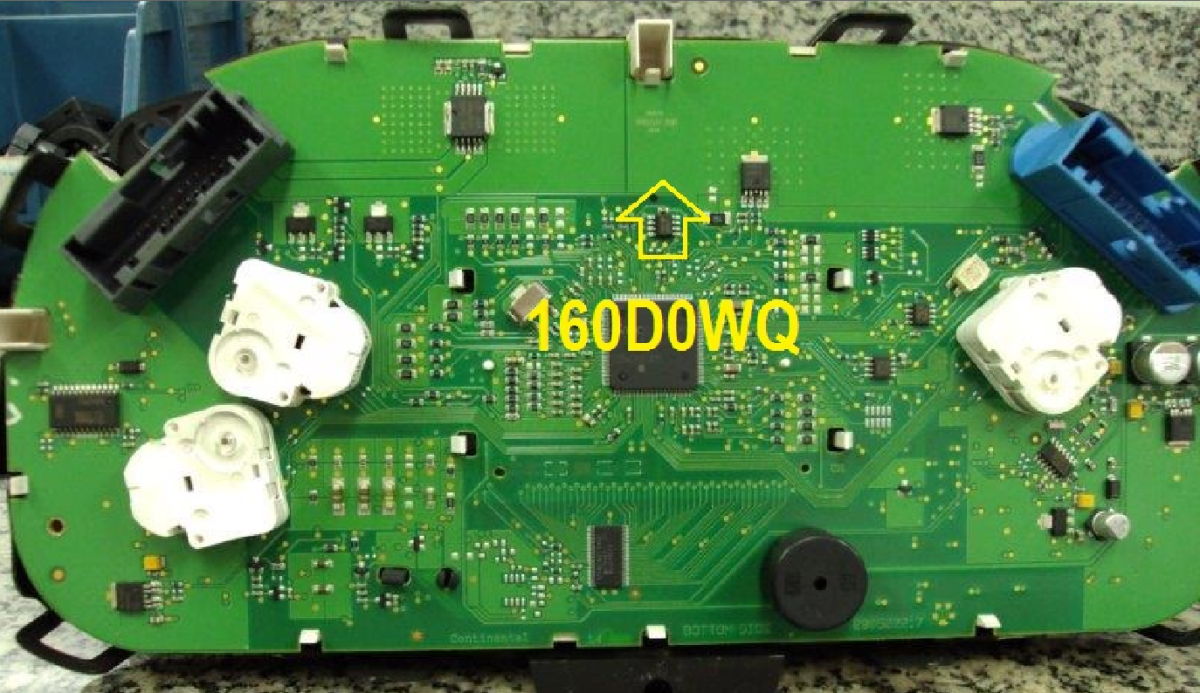
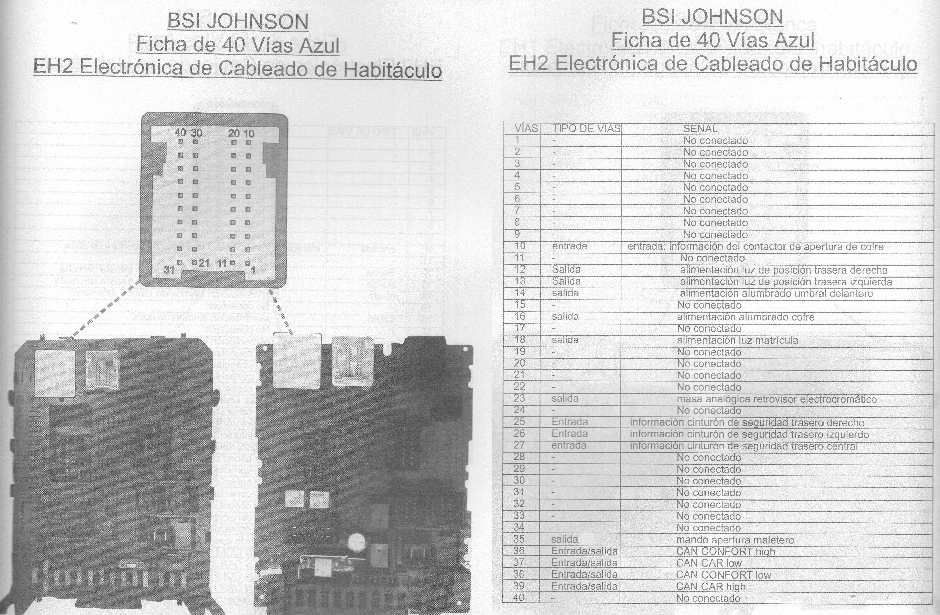
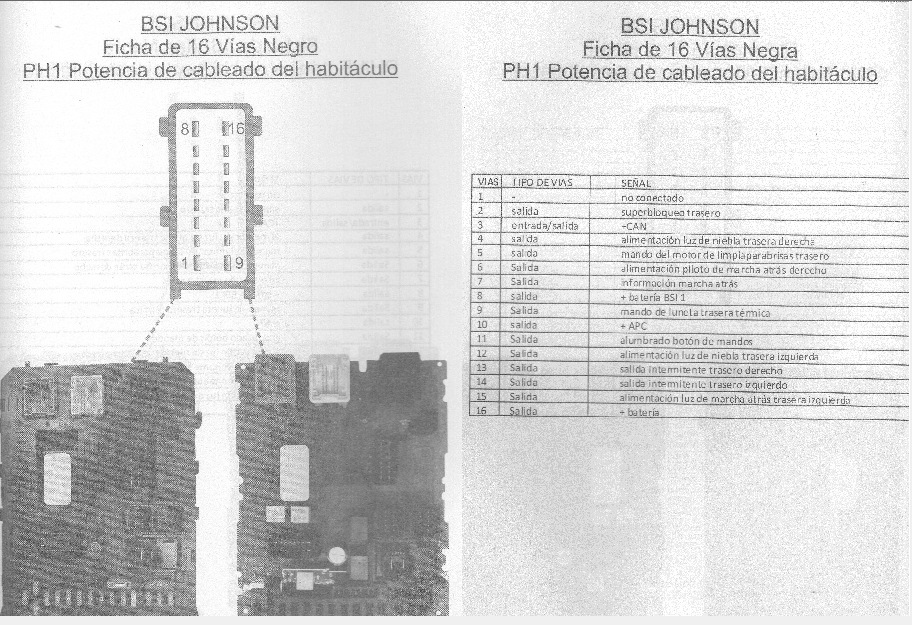
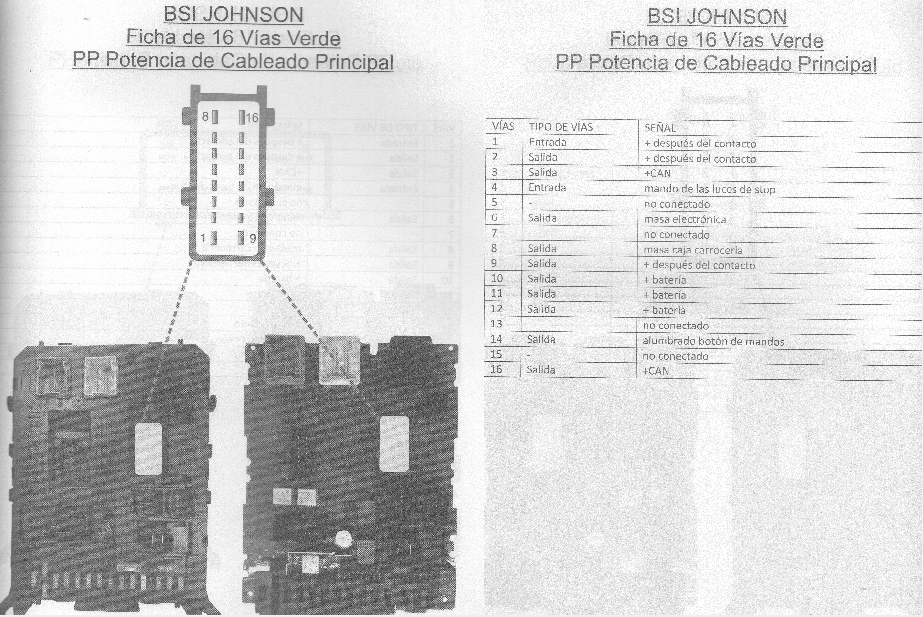
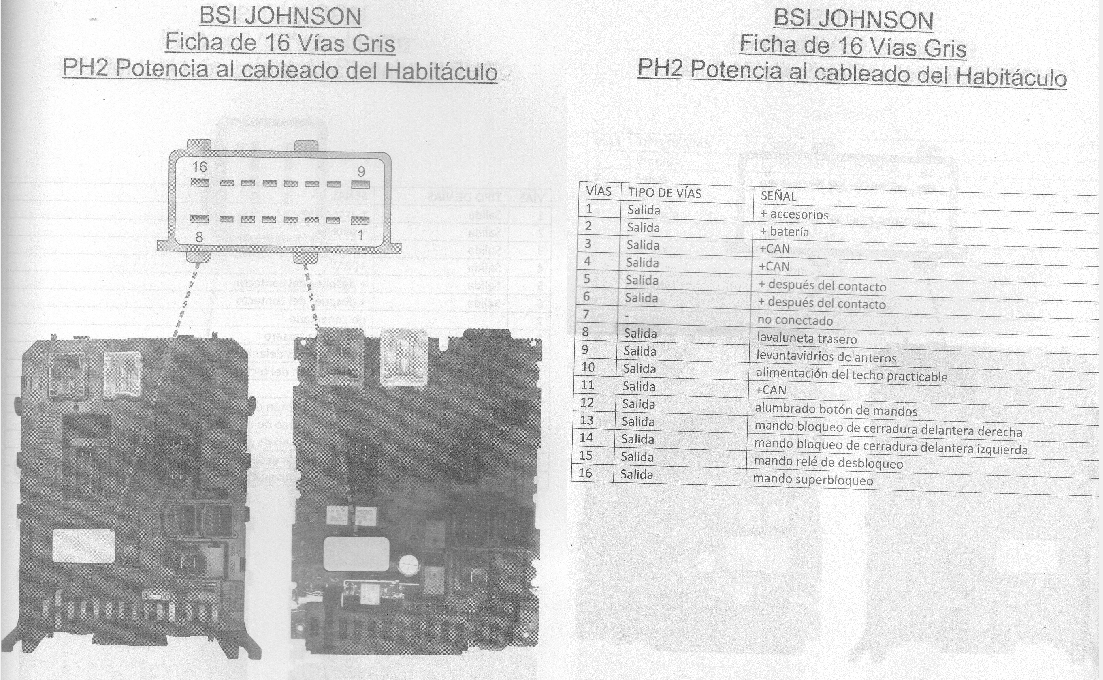
Segue Arquivos Multec_preto_preto_D_95040_FORADACENTRAL.bin MULTEC_COM_25LC256_RESET_AUTO_LUIZ_HSFI.BIN MULTEC_H_VIRGEM_RESET_AUTO_LUIZ.BIN MULTEC_HSFI_VIRGEM_RESET_AUTO_LUIZ.BIN
-
-
-
-
-
-
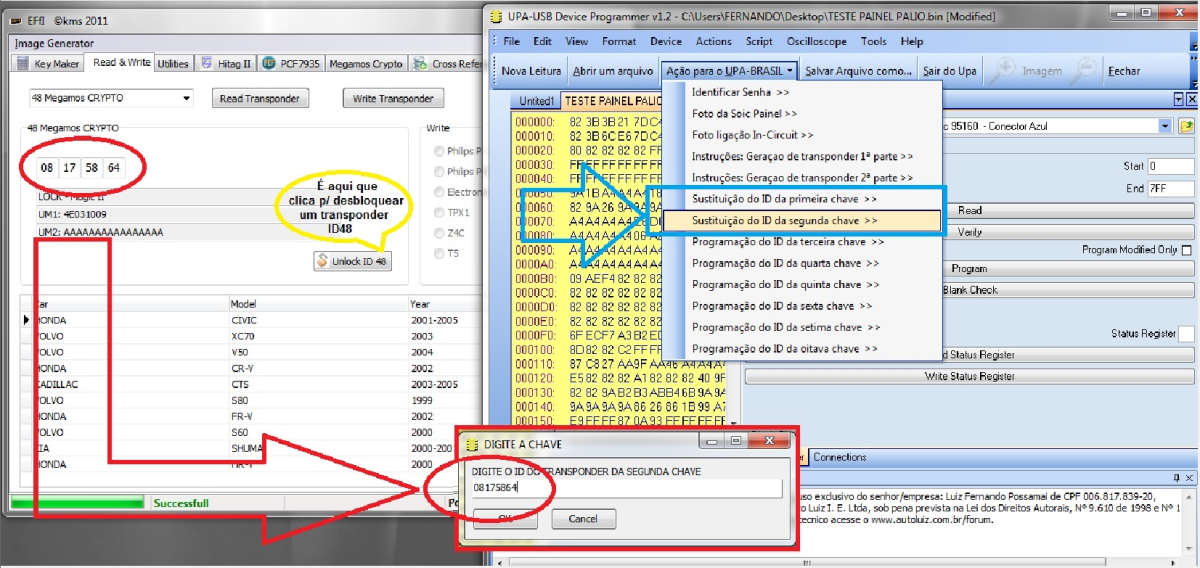
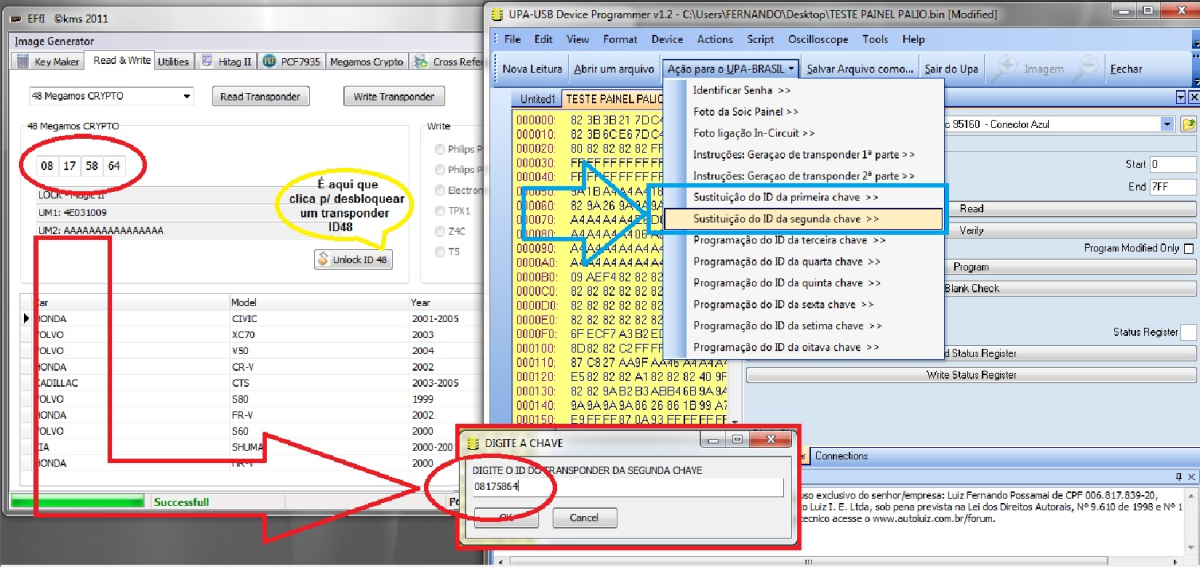
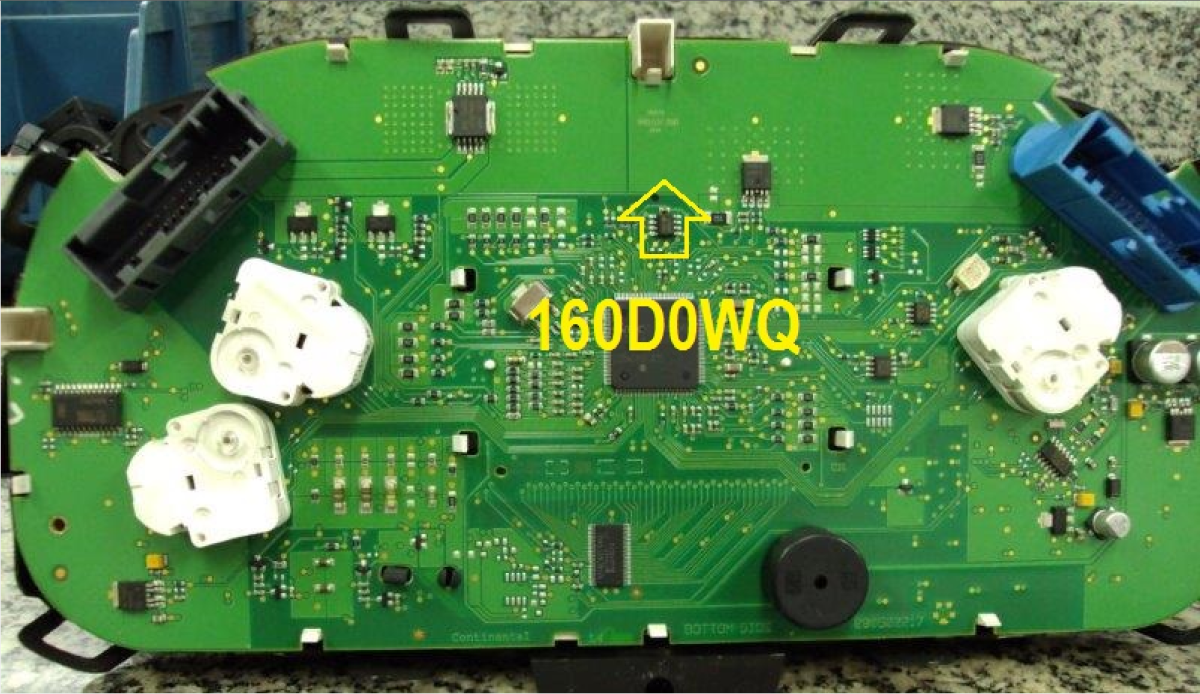
Soluções Sugeridas: Travamento da SOIC: É necessário travar a SOIC após o decode para evitar reprogramações indesejadas. EXEMPLO DE TRAVAMENTO COM O UPA
-
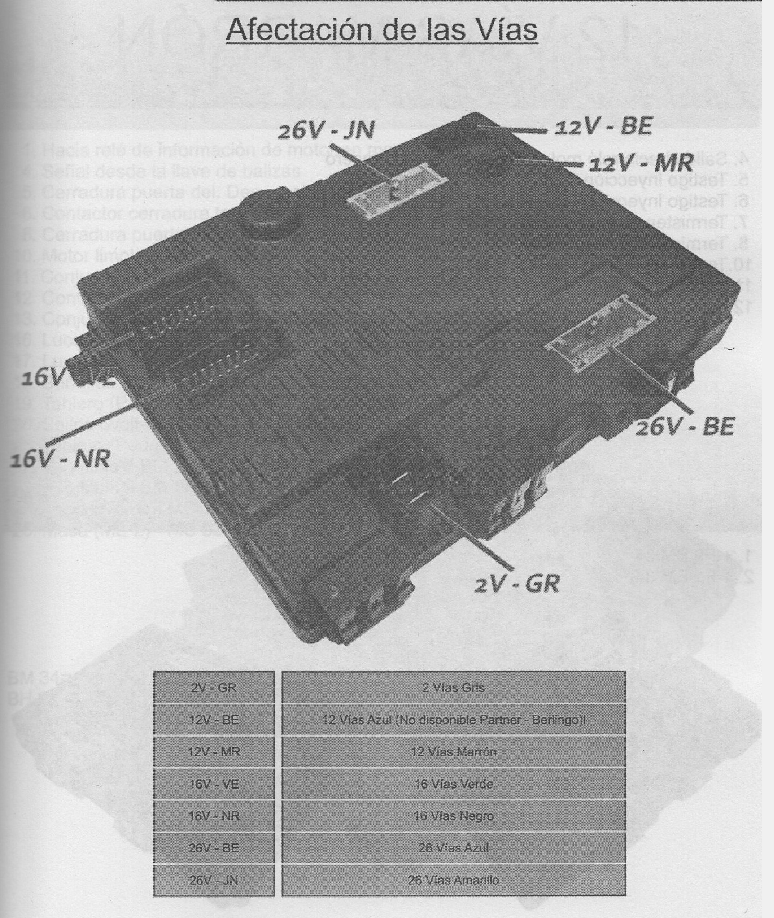
Função de Emparelhamento entre ECU E BCM dentro da Calculadora EDITEC
-
UP
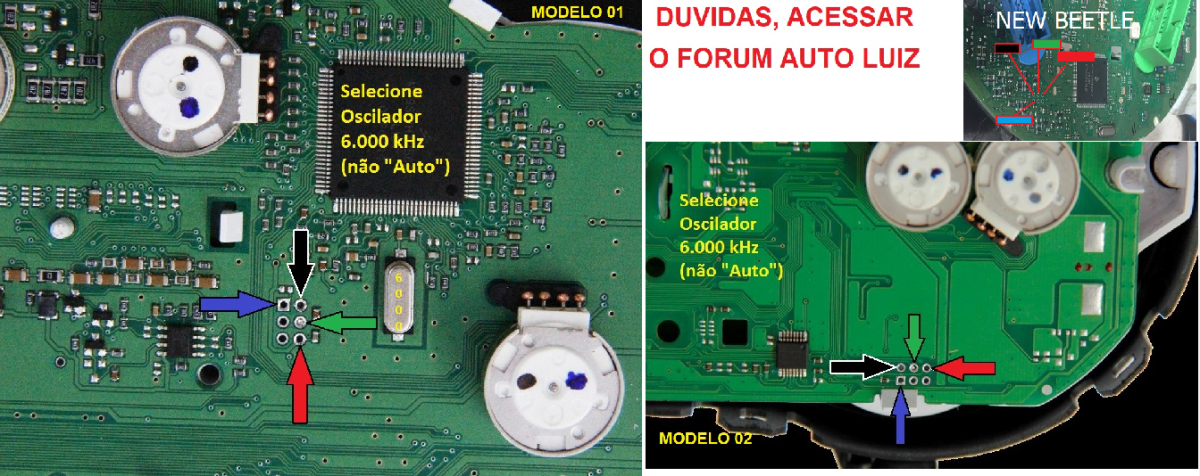
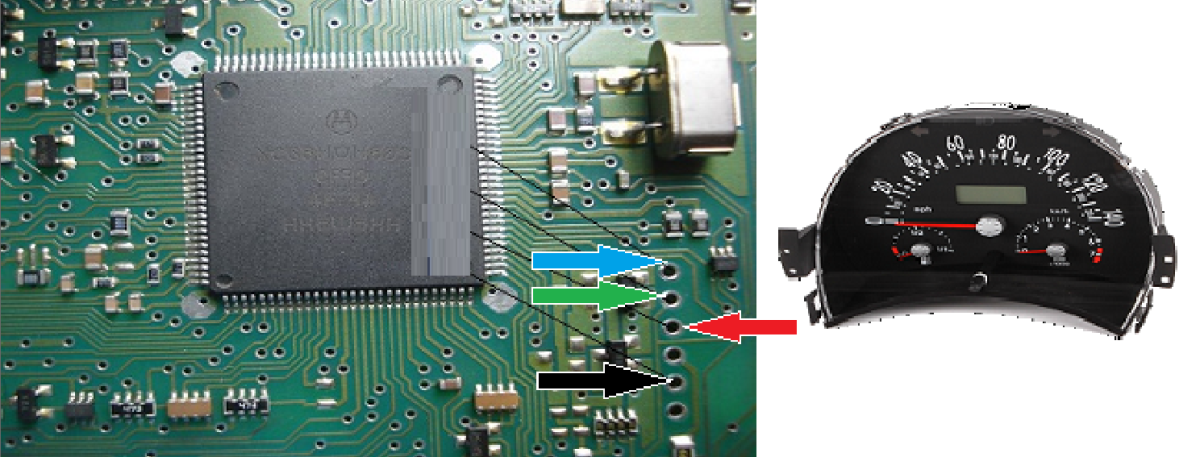
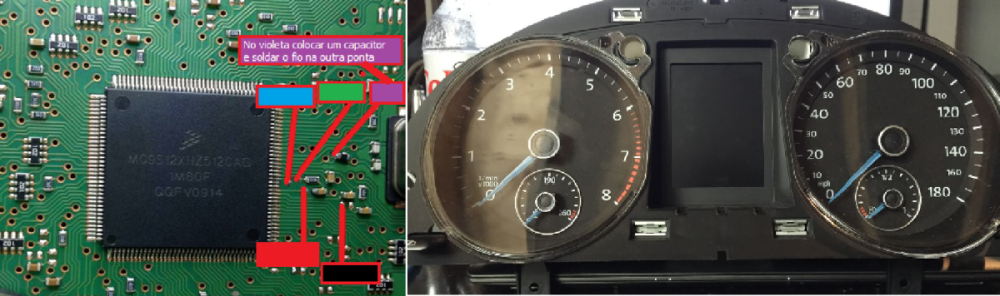
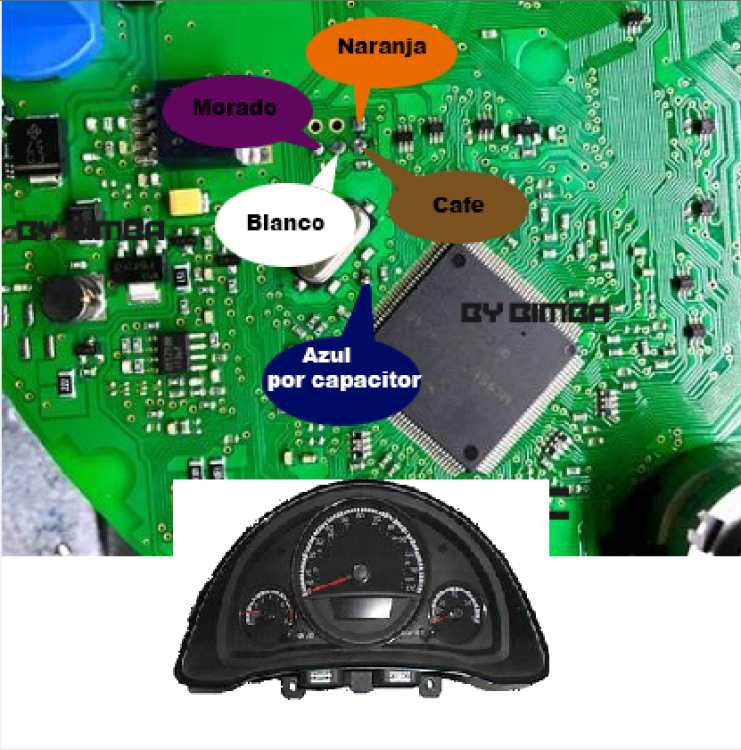 NEW BETTLE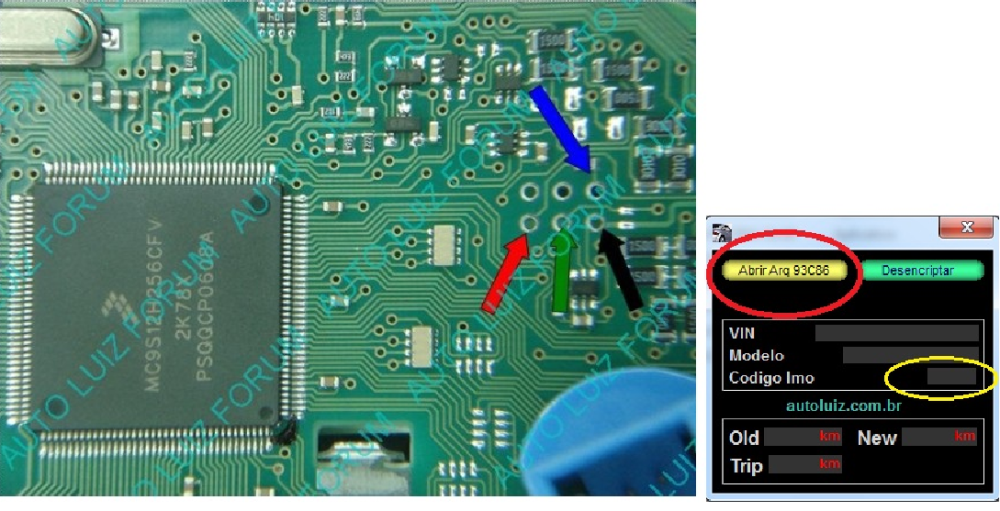
Account
Navigation
Pesquisar
Configure browser push notifications
Chrome (Android)
- Tap the lock icon next to the address bar.
- Tap Permissions → Notifications.
- Adjust your preference.
Chrome (Desktop)
- Click the padlock icon in the address bar.
- Select Site settings.
- Find Notifications and adjust your preference.
Safari (iOS 16.4+)
- Ensure the site is installed via Add to Home Screen.
- Open Settings App → Notifications.
- Find your app name and adjust your preference.
Safari (macOS)
- Go to Safari → Preferences.
- Click the Websites tab.
- Select Notifications in the sidebar.
- Find this website and adjust your preference.
Edge (Android)
- Tap the lock icon next to the address bar.
- Tap Permissions.
- Find Notifications and adjust your preference.
Edge (Desktop)
- Click the padlock icon in the address bar.
- Click Permissions for this site.
- Find Notifications and adjust your preference.
Firefox (Android)
- Go to Settings → Site permissions.
- Tap Notifications.
- Find this site in the list and adjust your preference.
Firefox (Desktop)
- Open Firefox Settings.
- Search for Notifications.
- Find this site in the list and adjust your preference.